
One Account | Every Screen
A premium IPTV player built for every screen.
Your own live TV, movies, series and TV guide across Android, Amazon Fire TV and Windows. Bring the IPTV service you already have, and sign in with one UNISON account.
Amazon Appstore 1.0.13 is live · Windows 1.0.14 available
Google Play and Microsoft Store: Coming Soon. See download availability.
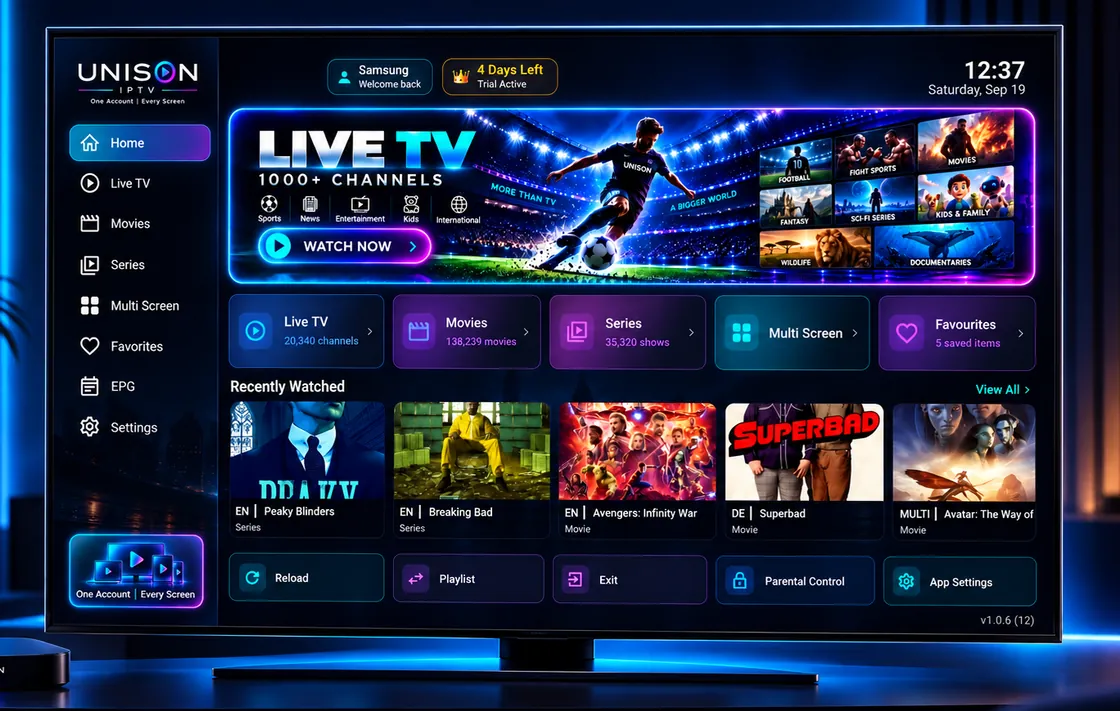
Player only UNISON supplies no channels, movies, series or playlists. Bring your own compatible IPTV or Xtream account and UNISON becomes the interface you watch it through.
One UNISON account, across every supported screen.
-
Android phone
Portrait-first browsing and playback
-
Foldable
A layout that follows the fold
-
Android tablet
Room for artwork and the guide
-
Android TV & boxes
Built for a remote, not a mouse
-
Amazon Fire TV
Your player on the big screen
-
Windows PC
Your account on your desktop
One app family for Android, Amazon Fire TV and Windows. See store and direct download options or see device details.
Your entertainment, beautifully organised
Everything your service offers, arranged the way a viewer thinks about it.
-
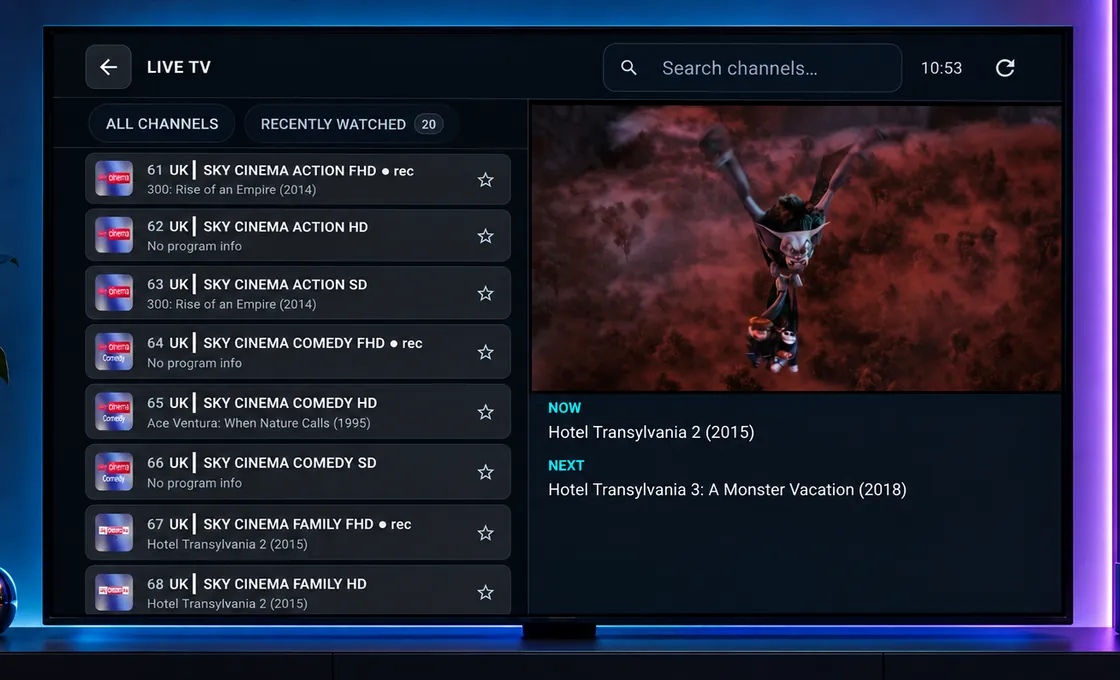
Live TV
Your channels, sorted into categories you can actually navigate.
-
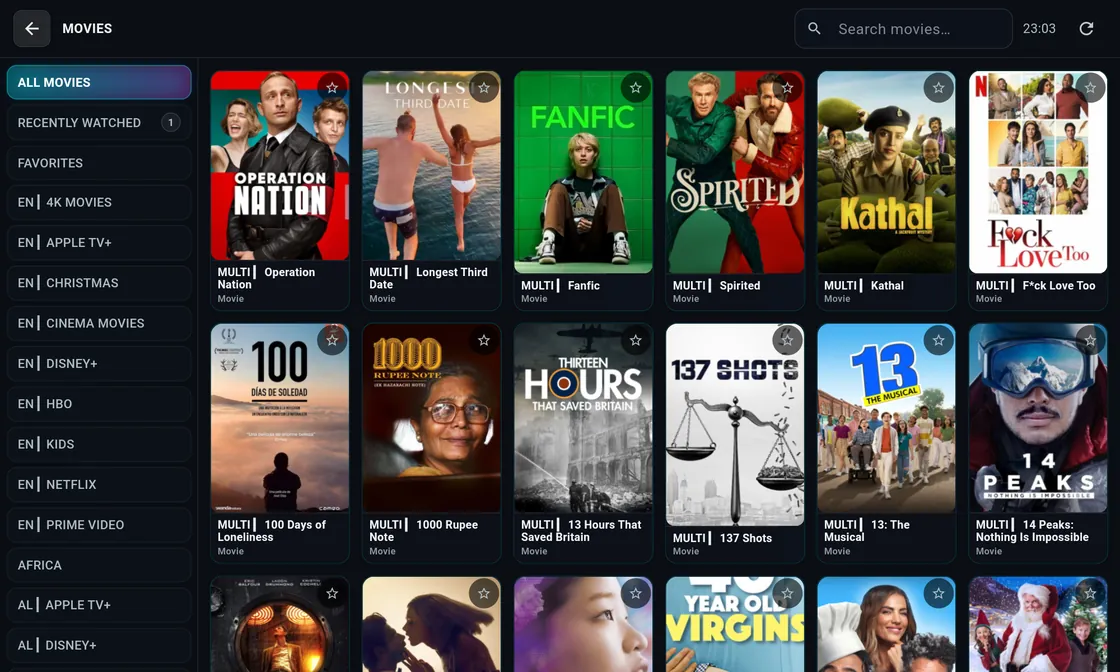
Movies
Poster-led browsing, with search that gets you to the film.
-
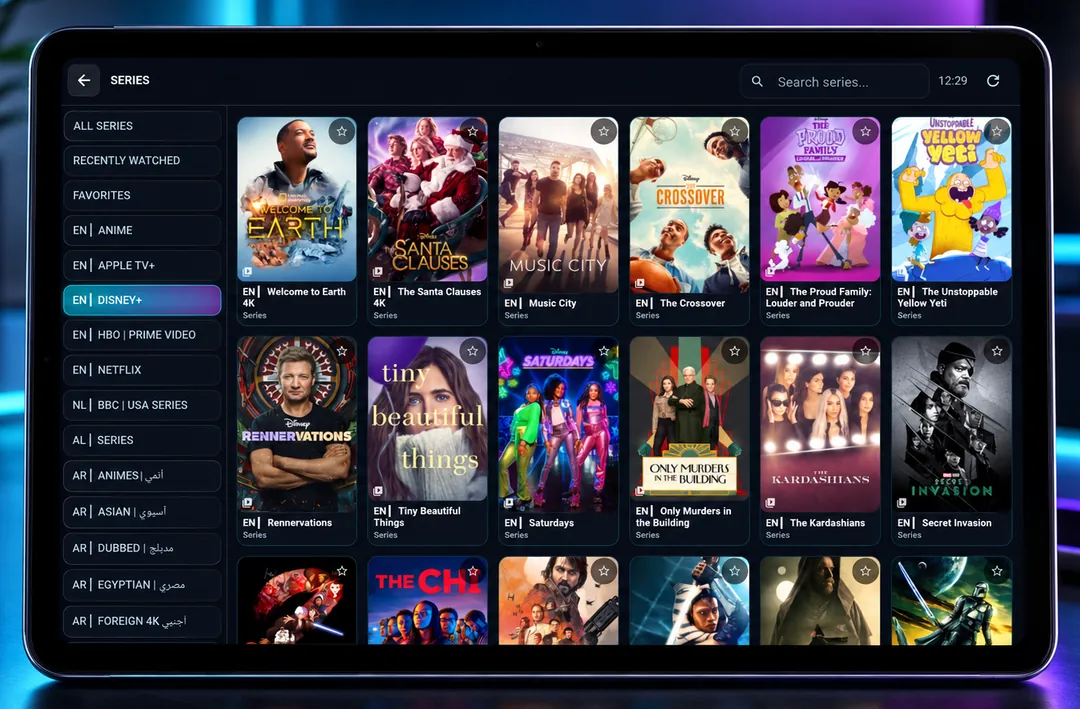
Series
Seasons and episodes laid out so you can pick up where you left off.
-
EPG guide
A proper TV guide grid, where your service provides EPG data.
Built around how people actually watch
Screens shown with a third-party IPTV service connected. The channels, films and series visible in them come from that provider, not from UNISON.
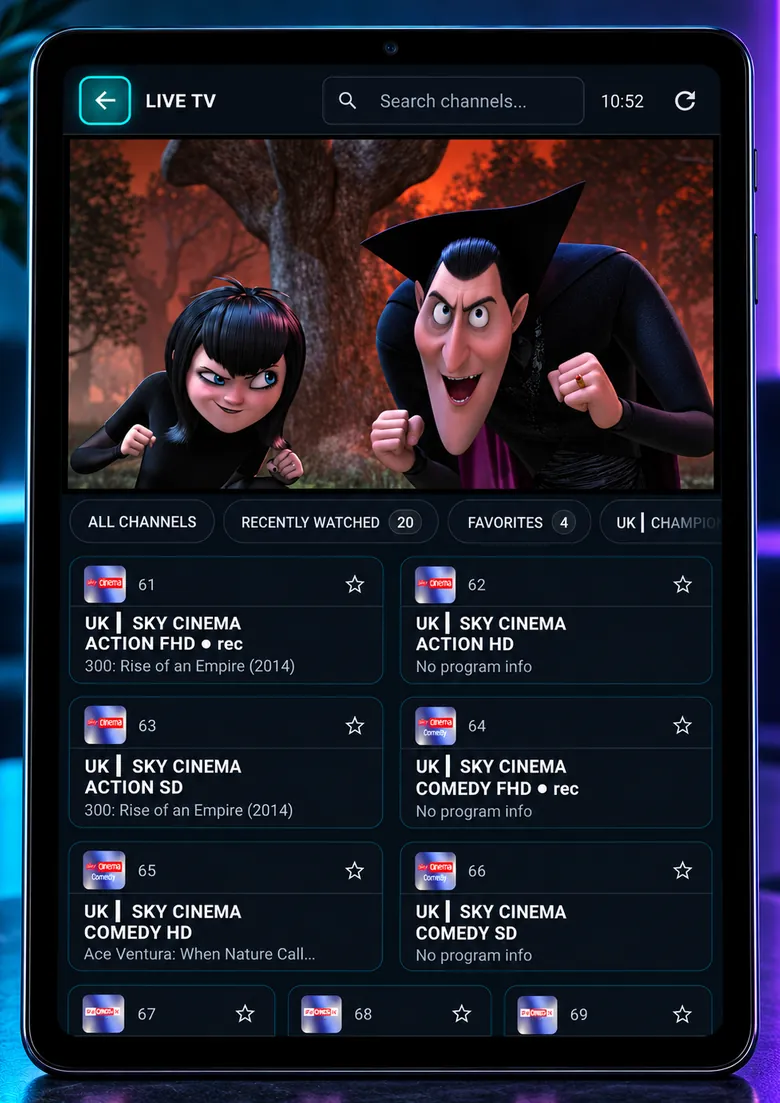
Channels that are easy to find
Thousands of channels stay navigable, because categories, search and favourites are always within reach.
- Categories and channel groups from your service
- Fast switching, built for a remote
- Now and next where your service supplies EPG data
Films, not filenames
Your provider's film catalogue becomes a library worth browsing, with artwork and detail wherever the data allows.
- Poster-led browsing and search
- Categories straight from your provider
Series that pick up where you left off
Shows are grouped into seasons and episodes rather than a flat list, so continuing one takes two taps.
- Seasons and episodes grouped properly
- Recently Watched keeps your place
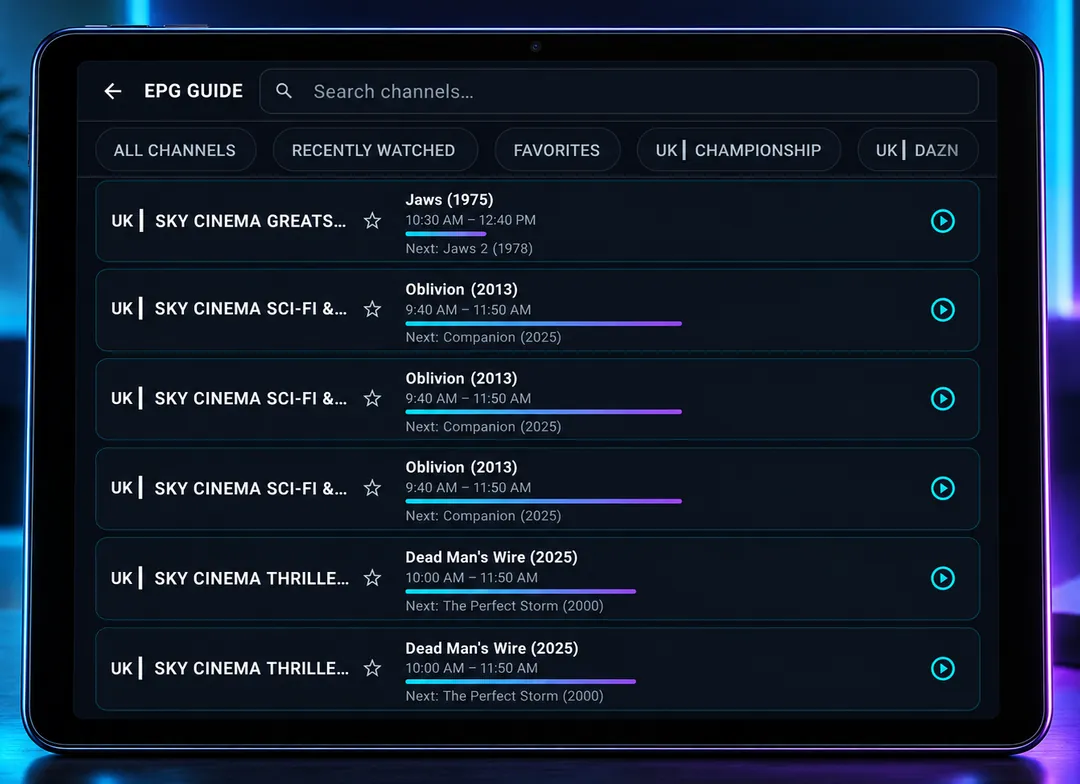
A guide you can read from the sofa
A proper programme guide, laid out the way a television viewer expects it, rather than buried in a menu.
- Grid guide for TV and tablet
- Start playback straight from the guide
- Uses the EPG data your service provides
The shortest route back to what you watch
Most evenings you want one of about ten things. Those sit at the front, on whichever device you pick up.
- Favourite channels, films and shows
- Recently Watched, ready to resume
- Carried across your signed-in devices
One account, every supported screen
Start on the phone and carry on at the television. Your setup follows the account, not the device.
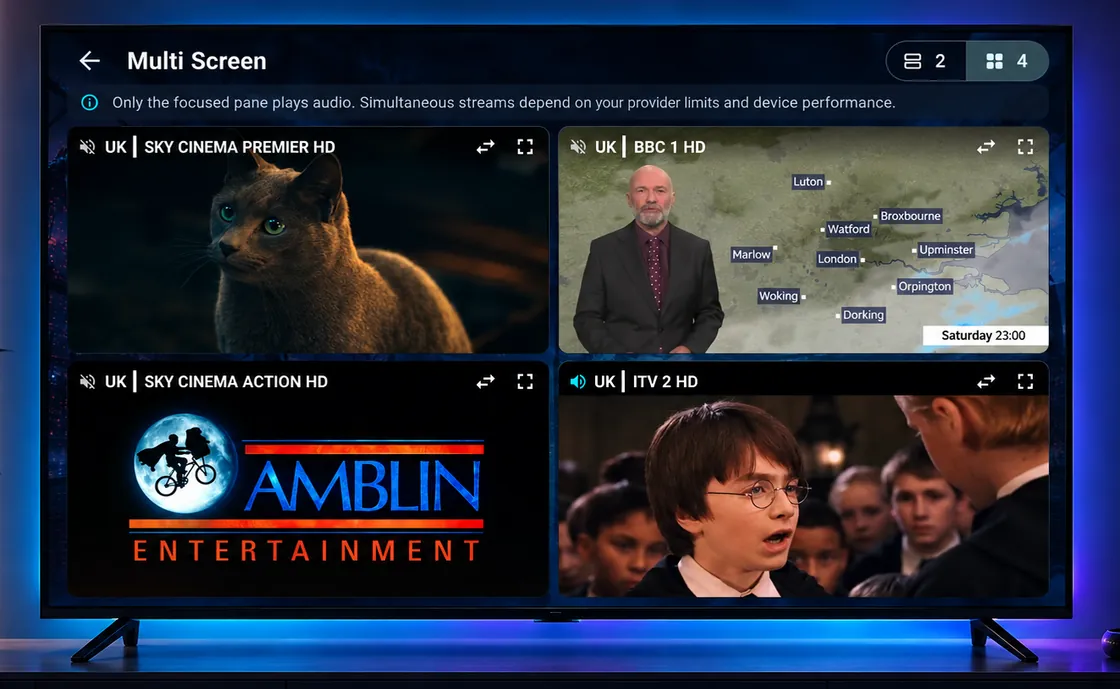
- Watch several channels at once
- Floating playback where the device supports it
- Subtitle and audio tracks where the stream carries them
Smooth where it matters.
A flagship tablet and a modest TV box are very different machines. UNISON reads the one you are on and plays to its strengths, rather than chasing a resolution the hardware was never going to enjoy.
- Tuned to your device
- Playback settles on what your hardware handles best.
- Subtitles and audio
- Switch between the tracks your stream carries.
- Built to keep playing
- Steady playback is the feature we optimise for first.
One Account | Every Screen
Set it up once. Find it everywhere.
A new tablet or TV box is a sign-in, not an afternoon of re-entering server details.
- Account-based sync across your signed-in devices
- Xtream-compatible connection details, entered once
- Android, Amazon Fire TV and Windows from one UNISON account
How account data is handled: Privacy Policy.
One payment. Then it is yours.
Lifetime Premium for the player. No recurring UNISON subscription and no IPTV content included.
Lifetime access
£9.99one-time
Includes a 72-hour trial in the app, so you can try it before you pay.
- Lifetime access to the UNISON player
- Android, Amazon Fire TV and Windows support as releases become available
- One UNISON account across your supported screens
- Live TV, Movies, Series and the TV guide interface
- Favourites and Recently Watched
- Future UNISON app updates
Android purchases use Google Play Billing. Amazon purchases use Amazon IAP. Your store confirms the local price and handles refunds under its policies.
Straight pricing
- No countdown timers, no crossed-out prices, no fake discounts.
- One payment. It never becomes a subscription.
- Your IPTV service is separate, and your provider bills you for it.
Windows users can sign in to access an existing qualifying UNISON entitlement. There is no Windows checkout. See downloads and release availability.
Your service. Your player.
UNISON does not provide IPTV subscriptions, channels, movies, series or playlists, and we do not host or stream anything. UNISON ships empty and fills up with whatever your own service provides.
-
You choose the service
Keep the IPTV or Xtream account you already have. UNISON has no provider tie-ins and never will.
-
We build the player
The guide, the artwork, the search, the controls, and how it all feels on a TV remote.
Questions worth answering properly
-
Does UNISON include TV channels, movies or series?
No. UNISON is a player application only. It does not include, sell, host or supply channels, movies, series or playlists. You connect a compatible IPTV service that you already have, and UNISON gives you the interface to watch it on your supported devices.
-
What do I need to use UNISON?
A compatible Android, Amazon Fire TV or Windows device with a released version of UNISON, and an active IPTV service of your own. Check Downloads for release availability. Your provider supplies the connection details; UNISON does not.
-
Is the £9.99 payment recurring?
No. £9.99 is a one-time purchase for lifetime Premium player features. Android purchases use Google Play Billing; Amazon purchases use Amazon IAP. Your store confirms the local price. There is no recurring UNISON subscription. Your own IPTV service is separate.
-
Which devices are supported?
UNISON supports Android phones, tablets, foldables, Android TV and TV boxes, plus Amazon Fire TV and Windows PC. Check Downloads for public release availability; pending releases are marked Coming Soon. iOS, Apple TV, Samsung Tizen, LG webOS, macOS, Linux and web browsers are not supported.
-
What happens after the 72-hour trial?
The 72-hour trial lets you test the player with your own service. Lifetime Premium is a one-time £9.99 purchase: Android uses Google Play Billing and Amazon uses Amazon IAP. Windows supports sign-in with an existing qualifying UNISON entitlement, with no Windows checkout. Premium does not include IPTV content.
One account. Every screen.
Bring your own IPTV service to Android, Amazon Fire TV and Windows. Lifetime Premium is £9.99, with a 72-hour trial. Check downloads for each platform's release availability.
IPTV player only. No channels, playlists or subscriptions included.